Building real-time captions with Speechify TTS speech marks
Use the Speechify API's word-level timestamps to generate accurate WebVTT captions for your synthesized audio.

Every Speechify TTS request comes back with word-level timestamps next to the audio data. They’re called speech marks, and they land in the JSON response automatically, no extra parameter needed. Feed them through a 30-line conversion function and you’ve got a .vtt file the browser will sync to an <audio> element without you writing any playback code.
This works because the engine already knows when each word starts and ends. It synthesized them. You don’t need a second pass with Whisper or any other forced-alignment tool. The data is in the response. Most teams I’ve talked to didn’t know it was there.
What /v1/audio/speech actually returns
The endpoint returns one JSON body. Two fields matter for captions: audio_data (base64 MP3 by default) and speech_marks.chunks (one entry per spoken word):
interface SpeechMarkChunk {
  start_time?: number; // milliseconds from audio start
  end_time?: number;   // milliseconds from audio start
  value?: string;      // the word itself
}

interface SpeechResponse {
  audio_data: string;
  audio_format: string;
  billable_characters_count: number;
  speech_marks: { chunks: SpeechMarkChunk[] };
}
Send the request and pull the response apart:
import "dotenv/config";
import fs from "node:fs";

const token = process.env.SPEECHIFY_API_KEY;
if (!token) throw new Error("Set SPEECHIFY_API_KEY");

const res = await fetch("https://api.speechify.ai/v1/audio/speech", {
  method: "POST",
  headers: {
    Authorization: `Bearer ${token}`,
    "Content-Type": "application/json",
  },
  body: JSON.stringify({
    input: "The quick brown fox jumps over the lazy dog.",
    voice_id: "geffen_32",
    audio_format: "mp3",
    model: "simba-3.2",
  }),
});
const data = (await res.json()) as SpeechResponse;
fs.writeFileSync("output.mp3", Buffer.from(data.audio_data, "base64"));
The real timings the API returned on that exact nine-word input:
0–285ms     The
285–584ms   quick
584–1011ms  brown
1011–1240ms fox
1240–1517ms jumps
1517–1693ms over
1693–1839ms the
1839–2024ms lazy
2024–2491ms dog
Every word bounded against the MP3 you just wrote. No alignment step. The whole sentence is 2.5 seconds long and you know it down to the millisecond.
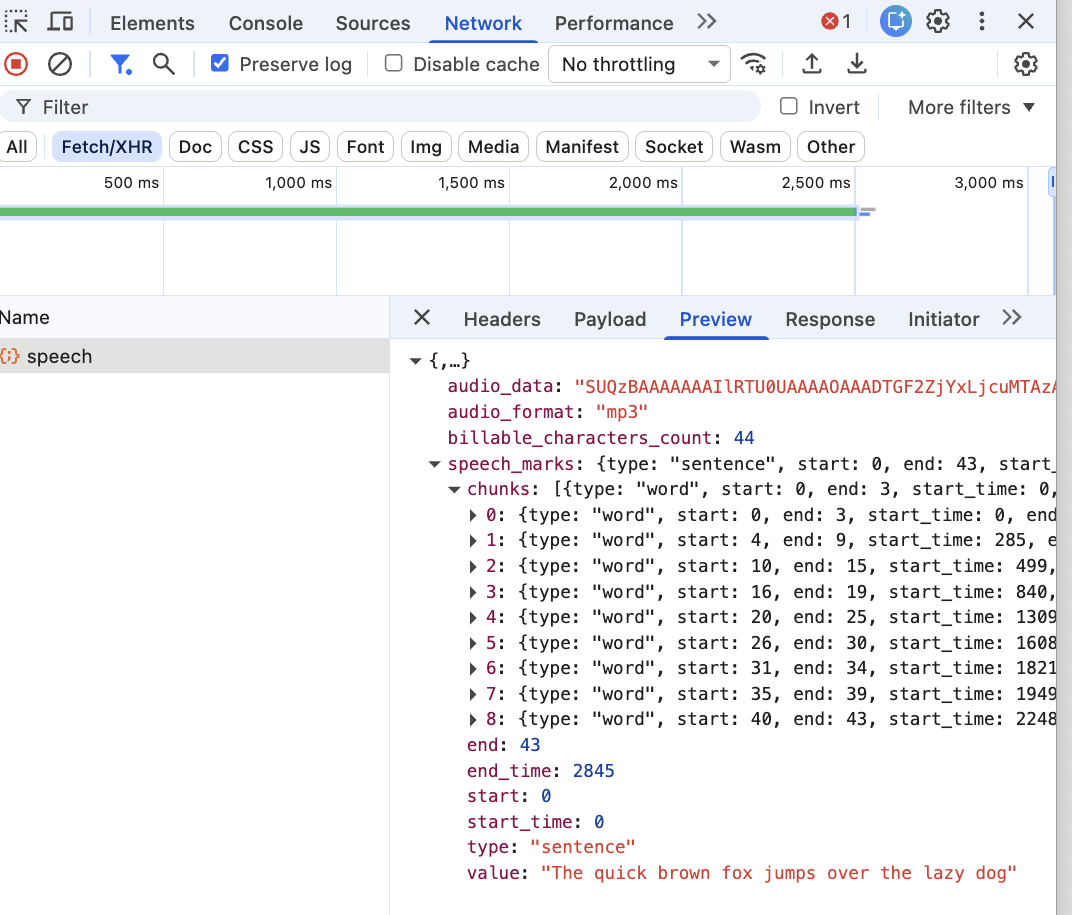
POST /v1/audio/speech from the captions demo’s /synth page. The base64 audio_data and the word-by-word speech_marks.chunks come back in the same JSON body, with no second pass and no alignment service.How do you turn speech marks into WebVTT?
A WebVTT cue is a timestamp range, a payload and a blank line, repeated. The catch is the timestamp format, HH:MM:SS.mmm: hours, minutes and seconds are zero-padded to two digits, and milliseconds to three. The helper:
function vttTime(ms: number): string {
  const h = Math.floor(ms / 3_600_000);
  const m = Math.floor((ms % 3_600_000) / 60_000);
  const s = Math.floor((ms % 60_000) / 1000);
  const millis = Math.floor(ms % 1000);
  const pad = (n: number, len = 2) => String(n).padStart(len, "0");
  return `${pad(h)}:${pad(m)}:${pad(s)}.${pad(millis, 3)}`;
}
Then walk the chunks and write the cues:
let vtt = "WEBVTT\n\n";
for (const w of data.speech_marks.chunks) {
  vtt += `${vttTime(w.start_time ?? 0)} --> ${vttTime(w.end_time ?? 0)}\n${w.value ?? ""}\n\n`;
}
fs.writeFileSync("captions.vtt", vtt);
The file that comes out:
WEBVTT

00:00:00.000 --> 00:00:00.285
The

00:00:00.285 --> 00:00:00.584
quick

00:00:00.584 --> 00:00:01.011
brown
One cue per word. Enough to satisfy a screen reader, and enough to drive word-level highlighting if you want karaoke-style sync in the UI.
Speech marks
Same timing data, two shapes. Each speech-mark chunk maps directly to one WebVTT cue.
response.speech_marks.chunks
{ "start_time": 0, "end_time": 285, "value": "The" },
{ "start_time": 285, "end_time": 584, "value": "quick" },
{ "start_time": 584, "end_time": 1011, "value": "brown" },
{ "start_time": 1011, "end_time": 1240, "value": "fox" },
{ "start_time": 1240, "end_time": 1517, "value": "jumps" }
captions.vtt
WEBVTT

00:00:00.000 --> 00:00:00.285
The
00:00:00.285 --> 00:00:00.584
quick
00:00:00.584 --> 00:00:01.011
brown
00:00:01.011 --> 00:00:01.240
fox- The: 0ms to 285ms
- quick: 285ms to 584ms
- brown: 584ms to 1011ms
Wiring captions to an <audio> element
The <audio> and <track> pairing is the easy path:
<audio controls>
  <source src="output.mp3" type="audio/mpeg">
  <track default kind="captions" srclang="en" src="captions.vtt">
</audio>
Browsers render the cues themselves below the player. kind="captions" is the right value here. subtitles is for translated dialogue, descriptions is for audio descriptions of video. MDN’s <track> element reference is the source of truth on what each kind value actually means.
If you want the karaoke effect (current word highlighted as the audio plays), the trick is to listen for the cuechange event on the TextTrack and re-render whichever component holds the word. The cues are already there, indexed by the browser, kept in sync with the audio clock. You’re reusing timing data the browser is already running.
const audio = document.querySelector("audio")!;
const track = audio.textTracks[0];
track.addEventListener("cuechange", () => {
  const active = track.activeCues?.[0] as VTTCue | undefined;
  if (active) highlight(active.text);
});
That’s the whole UI mechanism. The hard part (matching audio to text) you already did on the server.
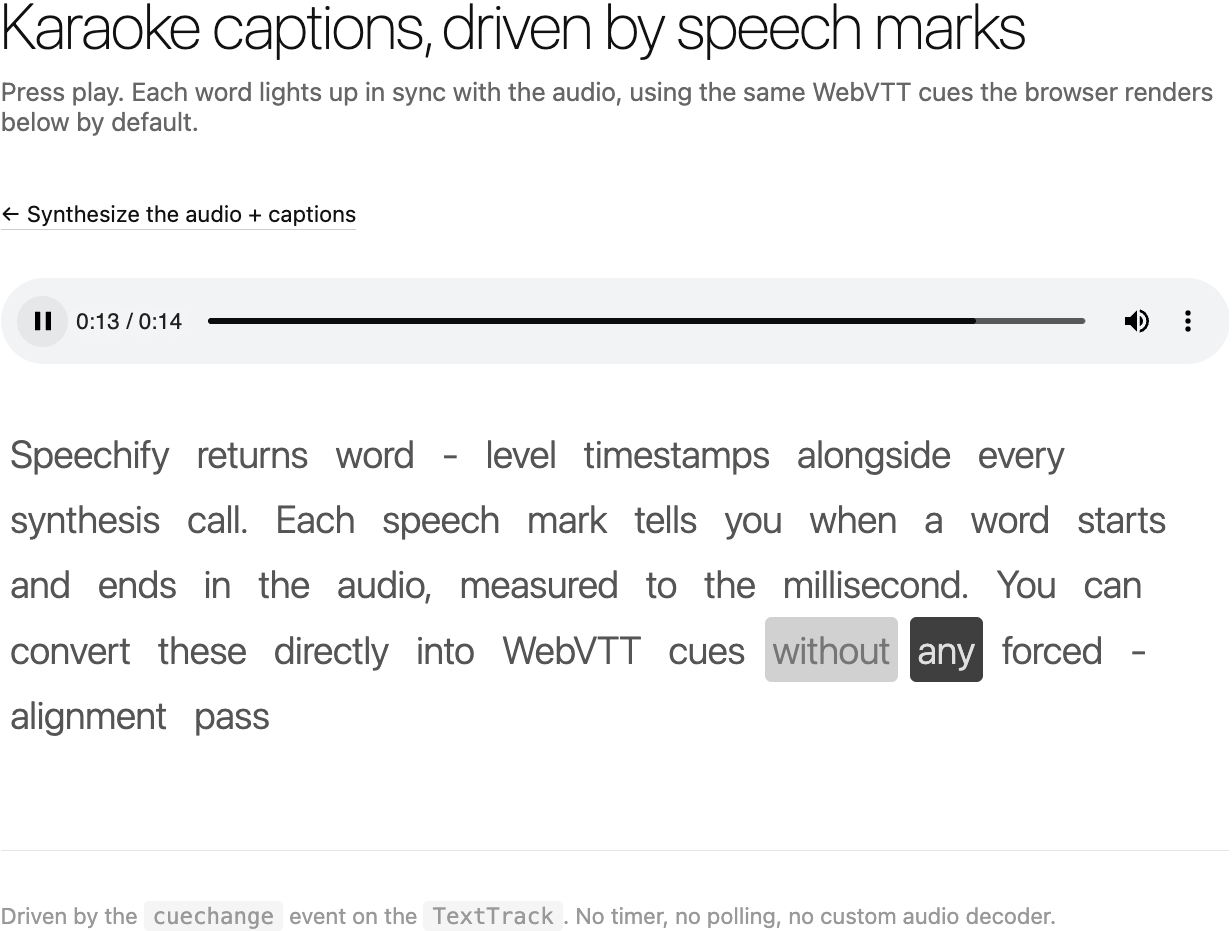
/karaoke page uses the browser’s active WebVTT cue to highlight the current word while the audio plays.Where this shows up in real apps
E-learning is the obvious one. Pairing voiced content with a synced transcript is a hard requirement for accessibility audits on a lot of LMS platforms, and “build it ourselves with Whisper” is the expensive path most teams take by default. Speech marks make that path unnecessary.
Video tools come next. If you’re synthesizing narration for short-form video, the captions are the first thing every social platform recommends adding for retention. Same response, same timings, drop them in as a track.
Podcasts and audio-first products use the same data for transcripts and word-level search. Search “where did the host say database migration?” becomes a substring search over a JSON array of words with timestamps. The audio jump-to is just audio.currentTime = chunk.start_time / 1000.
The thread that ties all of these together: text and audio aren’t a pair you bolt together after the fact. They come out of the same API call, with the same timing, and you can use that to do things you would otherwise need a separate alignment service to do.
If you’re working from a different runtime, the cookbook ships the SDK version of this recipe for TypeScript and the same recipe in Python. I covered the Node.js TTS basics in a previous post if you haven’t wired up /v1/audio/speech before. The full parameter surface lives in the Speechify TTS docs.
FAQ
Do I need to ask for speech marks specifically when calling the API?
No. The non-streaming /v1/audio/speech endpoint returns speech marks in every response by default, in the speech_marks.chunks array. You just need to parse them out alongside audio_data. There’s no flag to flip and no extra round-trip cost. If you don’t want them, you ignore the field. If you do, they’re already paid for in the same request.
What’s the latency cost of getting speech marks alongside the audio?
Zero extra round-trip. The marks are generated as part of the same synthesis pass and serialized into the same JSON body. The only cost is a slightly larger response payload, on the order of 50-150 bytes per word of text. For a 200-word paragraph that’s roughly 20 KB of timestamp data on top of however large the MP3 came out, which is a rounding error.
Can I get speech marks back from the streaming endpoint too?
Yes. POST /v1/audio/stream/with-timestamps streams audio chunks and word-level speech marks together, which is what the LiveKit plugin uses for aligned transcripts. The plain /v1/audio/stream endpoint returns raw audio bytes only, optimised for low time-to-first-byte playback, and the non-streaming /v1/audio/speech endpoint serializes the full audio plus marks into one JSON response. If you need captions on a finished file, use the speech endpoint; if you need captions while playback starts, use the timestamped stream.
How does this compare to running Whisper on the output for alignment?
Faster and more accurate. Whisper has to listen to the audio and guess where words start and end, which adds a second model inference, several seconds of latency, and a small alignment error budget. Speechify’s TTS engine knows when each word starts and ends because it generated them. The data is exact and the cost is zero extra requests. For TTS output specifically, Whisper alignment is the slower wrong answer.
This post is narrated by Harper on Simba 3.5 through our text to speech API. How the player works: add read-aloud to your docs and turn speech marks into captions.