Multilingual voiceover with the Speechify API and simba-3.0
Generate the same script in English, German, Spanish, French, Italian, and Portuguese with the Speechify TTS API. Pick a simba-3.0 voice for each locale, call POST /v1/audio/speech per language, keep the key server-side.

To voice one script in several languages with Speechify, use simba-3.0, pick a voice that serves each target locale, and call POST /v1/audio/speech once per language. simba-3.0 covers English plus German, Spanish, French, Italian, and Portuguese, and it routes by the voice you send: choose a French voice and you get French, choose a German voice and you get German. There is no separate translation step in the API. You bring the translated text, the model speaks it in the right accent.
That last point matters, so I’ll be blunt about it up front: the TTS API does not translate. It synthesizes. This post is about the synthesis half, generating natural audio in each language once you have the text, with a runnable demo you can click through. Grab a key to run it yourself.
Which languages simba-3.0 covers
simba-3.0 is streaming-native synthesis in English and six European languages, routed by the request voice. GET /v1/audio/models lists its languages as en, de-DE, es-ES, es-MX, fr-FR, it-IT, and pt-BR. In practice you pick the voice, and the voice carries the locale.
There’s one gap worth knowing before you build a language menu: the model advertises es-ES, but no es-ES voice lists simba-3.0 in the catalog today, so the usable Spanish is es-MX. I found that by filtering GET /v1/voices for voices whose models array includes simba-3.0, per locale, rather than trusting the model’s language list. Check the catalog, don’t assume the two line up.
For English on its own, simba-3.2 is the newer recommendation with lower latency, which I covered in the models endpoint post. simba-3.2 is English-only today, so for anything multilingual, simba-3.0 is the model.
Pick a voice per locale
Each language needs a voice that actually serves it. Here’s the set the demo uses, one voice per locale, with the real billable character count from synthesizing each sample line:
| Language | Locale | Voice | Billable characters |
|---|---|---|---|
| English (US) | en-US |
alfonso |
60 |
| German | de-DE |
amalia |
63 |
| Spanish (Mexico) | es-MX |
aitana |
64 |
| French | fr-FR |
adeline |
67 |
| Italian | it-IT |
alessia |
66 |
| Portuguese (Brazil) | pt-BR |
adriana |
64 |
Billing is by input character, not by language, so a longer translation costs a little more than a shorter one for the same source sentence. French runs longest here at 67 characters; English shortest at 60. Nothing surprising, but worth seeing in real numbers rather than guessing.
To build this list for yourself, fetch GET /v1/voices (it returns an object envelope with a voices array, covered in the pagination post) and keep voices whose models array names simba-3.0 for the locale you want.
The server route
One route handles every language. It takes a language code, looks up the paired voice and text, and calls POST /v1/audio/speech with model: "simba-3.0". The key is read from the server environment, so it never reaches the browser:
// app/api/speech/route.ts
import { NextResponse } from "next/server";
import { findLanguage } from "../../lib/languages";

export const runtime = "nodejs";

export async function POST(req: Request) {
  const { code } = await req.json();
  const language = findLanguage(code);
  if (!language) {
    return NextResponse.json({ error: "Unknown language code" }, { status: 400 });
  }

  const res = await fetch("https://api.speechify.ai/v1/audio/speech", {
    method: "POST",
    headers: {
      Authorization: `Bearer ${process.env.SPEECHIFY_API_KEY}`,
      "Content-Type": "application/json",
    },
    body: JSON.stringify({
      input: language.text,
      voice_id: language.voiceId,
      audio_format: "mp3",
      model: "simba-3.0",
    }),
  });

  if (!res.ok) {
    const error = await res.json();
    return NextResponse.json(error, { status: res.status });
  }

  const data = await res.json();
  return NextResponse.json({
    audio: data.audio_data, // base64 mp3
    voiceName: language.voiceName,
    locale: language.code,
    billableCharactersCount: data.billable_characters_count,
  });
}
The language table lives in one module the route and the page both import:
// app/lib/languages.ts
export const LANGUAGES = [
  { code: "de-DE", label: "German", voiceId: "amalia", voiceName: "Amalia",
    text: "Hallo, dies ist eine mehrsprachige Sprachausgabe mit Speechify." },
  { code: "fr-FR", label: "French", voiceId: "adeline", voiceName: "Adeline",
    text: "Bonjour, ceci est une démonstration de synthèse vocale multilingue." },
  // ...en-US, es-MX, it-IT, pt-BR
];
That’s the whole integration. The browser posts a language code to your own route, and the route does the one Speechify call. Swapping languages is a different voice_id and a different input, same model, same endpoint.
Clicking through it
The demo is a single page: pick a language, see the line it will speak, generate, play it back. On load it defaults to French, so the preview shows the French sample before you touch anything.
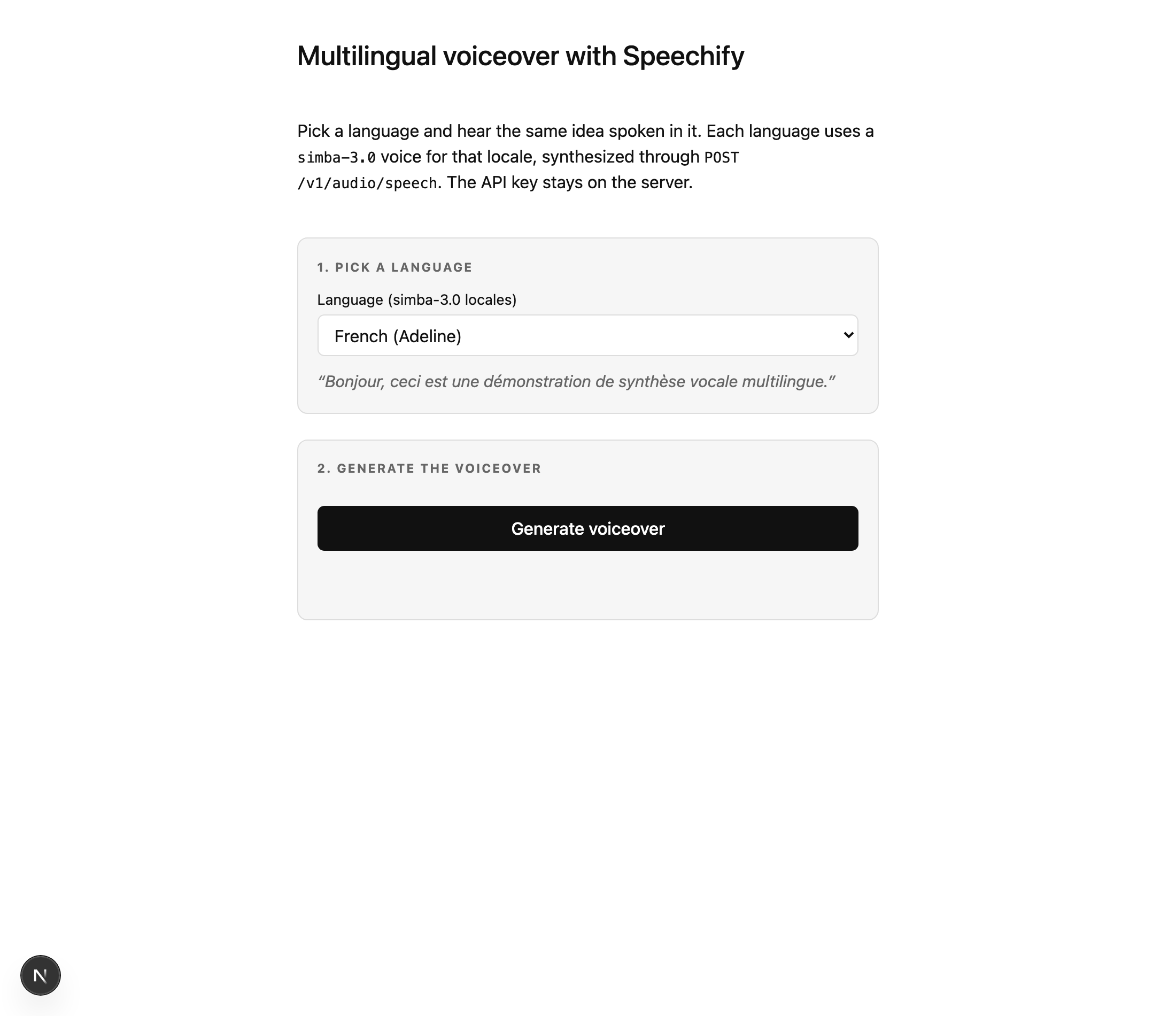
simba-3.0 voice in the picker, and previews the exact line it will speak.Switch to German and generate, and the panel reports what the API returned: the model, the voice and its locale, and the billable character count for that line.
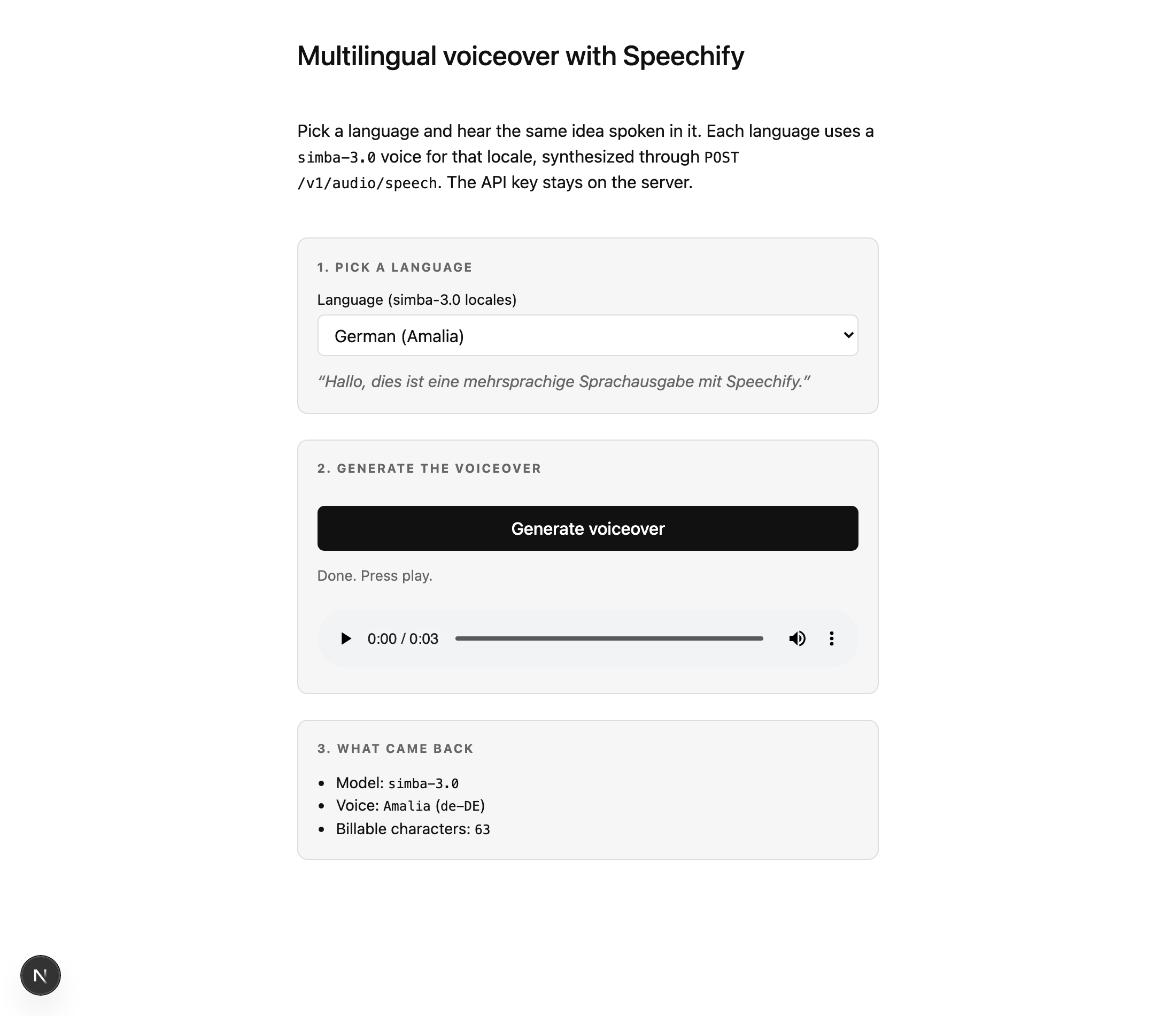
amalia on simba-3.0, a three-second clip, 63 billable characters. This is the end of the demo’s Playwright run against the live API.The API key never leaves the server. The page talks to /api/speech on the same origin, and that route holds SPEECHIFY_API_KEY and makes the upstream call. The full demo, including the Turnstile gate for the browser endpoint, is in demos/multilingual-voiceover.
Keeping one voice per language, at scale
A voiceover job is rarely one line. When you loop over a script, the thing that keeps output consistent is holding the voice_id and model fixed for a whole language, and only changing the input. Same voice, same model, chunk after chunk, so the accent and timbre don’t drift between sections. If you’re voicing long-form text this way, the audiobook pipeline post covers chunking and stitching, and it works per language unchanged: run the pipeline once per locale with that locale’s voice.
For anything read aloud to a user in real time, reach for POST /v1/audio/stream instead of /speech, so playback starts before the whole clip is ready. That trade costs you the speech marks: /stream is audio bytes only. If you need the words highlighted as they’re spoken, stay on POST /v1/audio/speech, the endpoint this whole post uses; the speech marks in the captions post come back for these voices too.
FAQ
Does the Speechify API translate text into other languages?
No. The TTS API synthesizes audio from the text you send; it does not translate. You supply the text already in the target language, and simba-3.0 speaks it in the accent of the voice you pick. Pair it with a translation step in your own pipeline if your source is in one language and you want audio in several.
Which languages does simba-3.0 support?
English plus German, Spanish, French, Italian, and Portuguese. GET /v1/audio/models lists the locales as en, de-DE, es-ES, es-MX, fr-FR, it-IT, and pt-BR. The usable Spanish is es-MX, because no es-ES voice lists simba-3.0 in the catalog today. simba-3.0 routes by the voice you send, so the voice’s locale decides the language.
How do I find a voice for a specific language?
Call GET /v1/voices and filter by each voice’s models array, keeping the ones that list simba-3.0 for your target locale. The catalog is the source of truth, not the model’s advertised language list, because the two don’t perfectly line up (the es-ES gap is the current example). Build your language menu from voices that actually resolve.
Which model should I use for multilingual TTS, simba-3.0 or simba-3.2?
simba-3.0 for anything non-English, because simba-3.2 is English-only today. Use simba-3.2 when your work is English and you want the lowest time to first byte. New languages land on simba-3.0 regularly, so check GET /v1/audio/models rather than hardcoding the list.
Does the API key reach the browser in this demo?
No. The synthesis call runs in a Next.js route handler under app/api/, which executes only on the server. The browser posts a language code to that same-origin route and gets base64 audio back; it never sees SPEECHIFY_API_KEY. The credit-spending endpoint is also Turnstile-gated in the demo, following the repo’s hosting pattern.
The parameter surface for POST /v1/audio/speech and the full voice catalog are in the Speechify docs.