How to choose a low-latency TTS API for voice agents in 2026
On 24 September 2026, Simba 3.2 had the lowest median time to first audio of the 14 models on Voice Arena's US English board, 123 ms, and Coval measured it at 106 ms. What to measure before you pick a TTS API for a voice agent, and what cuts the wait.

On 24 September 2026, SpeechifyAI’s Simba 3.2 had the lowest median time to first audio of the 14 models Voice Arena’s US English board gives a latency reading: 123 ms (our reviewed Voice Arena snapshot). Over the 24 hours to the same day, Coval’s independent benchmark measured it at a median of 106 ms (our reviewed Coval snapshot). Simba 3.2 costs $10 per million characters on Starter, $8 on Pro and $6 on Scale.
This guide is for choosing a text-to-speech API when the job is a voice agent, not narration. A caller hears every millisecond before the first word, so the first question is how soon the audio starts, and the second is whether it stays that way under your traffic. Below: what to measure, what two independent benchmarks read on the same day, and what cuts the wait on your side.
What to measure
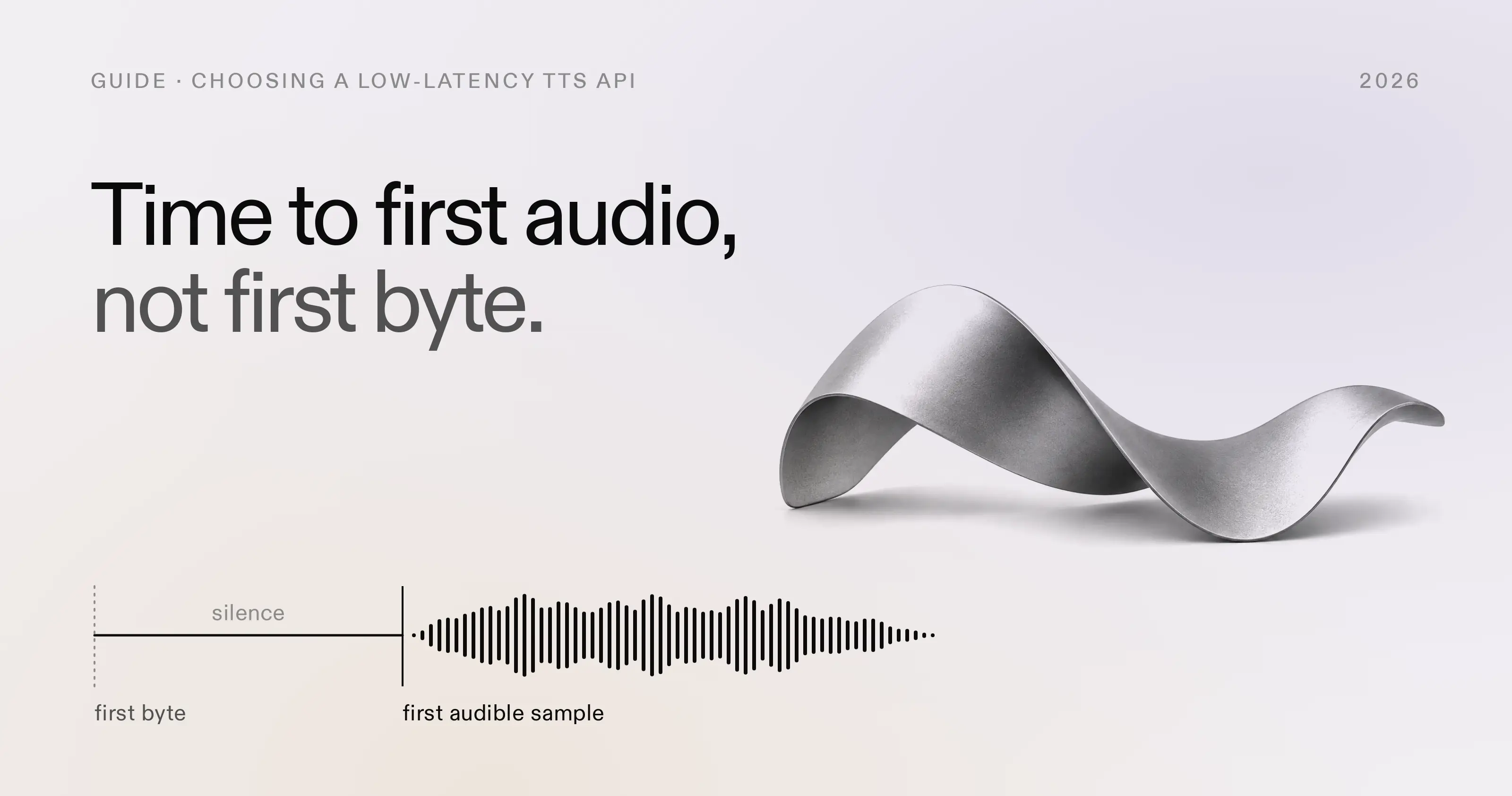
Time to first audio, not time to first byte
Time to first byte stops the clock when the first audio data arrives, whether or not it can be heard. Time to first audio stops it at the first sample a listener can hear. The difference is any silence at the start of the stream, and it varies by provider, voice and text.
Coval’s methodology counts that silence explicitly:
TTFA = (first audio chunk arrival - synthesis start) + leading silence inside the stream before the first audible sample
The leading silence is found with an RMS threshold over 10 ms frames of the decoded audio (methodology). A provider that sends its first byte early but opens the stream with silence gets no credit for the silence, which is the right incentive for a voice agent.
One streaming request, in order
- Network to the provider. Your request crosses to wherever the API is served.
- Synthesis to the first audio bytes. The provider starts the model and streams its first chunk.
- Network back to you. The first chunk crosses back. The first byte arrives here.
- Leading silence. The stream may open with samples no one can hear.
- Speech. The first audible sample. The caller hears the agent from here.
A schematic: the widths show the order of the parts, not how long each takes. Region, provider, voice and text change every part.
Where you measure from
Every request pays at least one network round trip to wherever the provider serves it.
As of September 2026, every request to the SpeechifyAI API is served from US East, and in our measurements that month the round trip was about 35 ms from the central US and about 100 ms from central Europe (latency guide).
Coval’s workers run in us-east-1 (harness README), the same part of the US our API is served from, so a caller farther away should expect to add their own round trip to Coval’s reading.
Voice Arena measures from its own runner, with its own client, texts and voices.
Warm and cold connections
A new connection pays for DNS, TCP and TLS before the request is even sent. Coval opens its connection once per run and reuses it, so its numbers leave that setup out for every provider (methodology). Your agent should do the same: create one HTTP client at startup and reuse it, and HTTP/2 lets concurrent streams share one connection. If you benchmark cold requests, compare cold with cold.
Percentiles, variance and concurrency
A single fast sample tells you little.
Send at least 20 requests with varied text, discard the first one or two, and report p50 and p90, not the average or the best run.
Then repeat at the concurrency you expect.
Coval’s loop runs at a concurrency of 8, with each model serving one request at a time, and your own traffic may look nothing like that.
On the SpeechifyAI API, a request beyond your plan’s concurrency limit returns 429 rather than a slower response, so a load test shows the limit as errors, not as latency.
What two independent benchmarks read
The two boards below measured on the same day with different runners, clients, texts and voices, so the same model reads differently on each. Simba 3.2 read 123 ms on Voice Arena and 106 ms on Coval (Voice Arena snapshot, Coval snapshot). Read both, then measure from where your users are.
Voice Arena, US English, 24 September 2026
Voice Arena gives 14 of the 20 models on its US English board a latency reading. On 24 September 2026, Simba 3.2’s median of 123 ms was the lowest of them, ahead of Inworld’s Realtime TTS 2 Research Preview at 168.5 ms and Gradium’s TTS at 236 ms (snapshot). On the same board Simba 3.2’s quality rank is 7 of 20, with a rank range of 6 to 8.
Voice Arena, US English board, 24 Sep 2026
Simba 3.2 read 123 ms, the lowest of the 14 models the board gives a latency reading. Shorter bars start speaking sooner.
| Model on Voice Arena's board | Median time to first audio |
|---|---|
| SpeechifyAI Simba 3.2 Real-time | 123 ms |
| Inworld Realtime TTS 2 Research Preview | 168.5 ms |
| Gradium TTS Real-time | 236 ms |
| Cartesia Sonic-3.5 Real-time | 250 ms |
| Smallest AI Lightning 3.1 Pro Real-time | 263.5 ms |
| Fish Audio S2 Pro Real-time | 267 ms |
| Fish Audio S2.1 Pro Real-time | 283 ms |
| Cartesia Sonic-3.6 Real-time | 340.5 ms |
| xAI Grok TTS Real-time | 354 ms |
| Microsoft Azure Dragon HD Omni | 485 ms |
| Murf AI Falcon 2 Real-time | 528 ms |
| ElevenLabs Eleven v3 Conversational | 587.5 ms |
| OpenAI gpt-4o-mini-tts | 811.5 ms |
| Google DeepMind Gemini 3.1 Flash TTS | 890 ms |
Bars are drawn to one scale, 0 to 900 ms. Median (p50) time to first audio from Voice Arena's automated measurements on its own runner, read 24 Sep 2026: our reviewed Voice Arena snapshot. The live board is at voicearena.com.
Coval, 24 hours to 24 September 2026
Coval runs its open-source harness against every provider on its board every 30 minutes. Over the 24 hours to 24 September 2026, its medians spread from 48 ms to 892 ms across 30 models, and Simba 3.0 and Simba 3.2 read 102 ms and 106 ms (snapshot).
Two boards, two orders. On 24 September 2026, Gradium read 48 ms on Coval and 236 ms on Voice Arena, and Simba 3.2 read 106 ms and 123 ms (Coval snapshot, Voice Arena snapshot). Where and how a board measures changes the order, and Simba 3.2 reads between 100 and 125 ms on both.
| Model on Coval | First audio | Listener Elo | Price per 1M |
|---|---|---|---|
Gradium gradium-tts-beta | 48 ms | 1,148 | $47.20 |
Gradium gradium-tts-beta-202609 | 48 ms | not rated | not rated |
Fluxions vui | 51 ms | not rated | not rated |
Inworld inworld-tts-2-flash | 62 ms | 1,210 | $10.40 |
Nari qwen3-tts-fast | 64 ms | not rated | not rated |
SpeechifyAI simba-3.0 | 102 ms | 1,118 | $6.60 |
SpeechifyAI simba-3.2 | 106 ms | 1,237 | $6.60 |
Palabra palabra-tts-v1 | 114 ms | not rated | not rated |
Inworld inworld-tts-2 | 156 ms | 1,245 | $20.80 |
ElevenLabs eleven_flash_v2_5 | 185 ms | 1,074 | $50.00 |
qwen3-tts-1.7b is left out because all 30 of its measurements in the window came from one three-minute burst. Listener Elo and price per 1M characters are Artificial Analysis’ readings on 23 September 2026 from their global view across all provider voices, with no accent filter, the price being their normalized estimate in USD, not a provider’s billed rate (our reviewed Artificial Analysis snapshot). “Not rated” means we could not match the model to one of their rows with certainty: Gradium’s undated beta is matched to their August 2026 Gradium row, and its September variant is not.Of the other providers’ models that were faster than Simba 3.2 on Coval that day, the two that Artificial Analysis also rates, Gradium’s undated beta and Inworld’s TTS-2 Flash, both scored lower with listeners and cost more per character (23 September 2026, Artificial Analysis snapshot).
What cuts the wait in a voice agent
The text-to-speech API is one stage of several. Between the caller finishing a sentence and hearing the reply sit end-of-turn detection, the final transcript, the LLM’s first tokens, the text-to-speech first audio and the telephony or playback buffer. Time each stage separately for the whole turn, then work on the largest.
For the text-to-speech stage:
- Stream, do not batch.
POST /v1/audio/streamsends audio as it is generated, whilePOST /v1/audio/speechresponds once the whole clip exists, so its first audio waits for its last (streaming guide). - Start on the first sentence. Send each complete sentence of the LLM’s reply as soon as it exists and play the streams in order. Split at sentence ends: splitting inside a sentence changes how it sounds.
- Keep the connection warm. One client for every request, opened at startup, so no caller pays for a handshake.
- Run near the API. Our API is served from US East, so an agent running there skips most of the round trip.
- Ask for PCM.
audio/pcmat 24 kHz is the model’s native output and needs no encoding or decoding step. - Play the first chunk. A player that fills a buffer before it starts adds that buffer to what the caller hears.
The latency guide covers each of these in more depth. It also explains our own first byte, which is a different measurement from the benchmarks above: 56 ms at the median and 102 ms at the 90th percentile on our production US East streaming path on 15 September 2026, from admitting the request to writing the first audio byte.
Trade-offs beyond the first audio
Latency decides whether a caller waits; the rest decides whether the agent is worth calling.
- Languages.
simba-3.2is English only.simba-3.0covers English, German, Spanish, French, Italian and Brazilian Portuguese, and Coval read it at 102 ms on the same day (snapshot). Our multilingual model covers 48 languages, available on request through our team (language support). - Expressive control. Simba 3.2 takes 13 emotion styles, such as
calm,warmandassertive, through<speechify:style emotion="...">in SSML, alongside<break>and<prosody>, in the same streaming request (emotion control). - Cost at volume. Simba 3.2 costs $10 per million characters on Starter, $8 on Pro and $6 on Scale. What 1M, 10M and 100M characters a month cost across 13 APIs is in our TTS API pricing comparison.
- Consistency under load. A median hides the slow tail. Ask for p90 or p95 at your own concurrency, and watch how the numbers move across days, not one afternoon.
Measure it yourself
The loop below streams 20 requests over one reused connection and reports two numbers: the time to first byte, and the time to first audio. It finds the first audible sample the way Coval’s detector does, as the first 10 ms window whose RMS level passes 1% of full scale. Coval adds that sample’s offset to the first chunk’s arrival; the loop also waits for the chunk that carries the sample, so a stream that stalls after a silent first chunk cannot read faster than a listener would hear it. It is plain HTTP, so the same loop works against any provider’s streaming endpoint once you change the URL, headers and body.
# pip install requests
import array
import math
import os
import statistics
import time

import requests

URL = "https://api.speechify.ai/v1/audio/stream"
RATE = 24_000  # audio/pcm: signed 16-bit little-endian mono at 24 kHz
session = requests.Session()  # one connection, reused
session.headers["Authorization"] = f"Bearer {os.environ['SPEECHIFY_API_KEY']}"


def first_audible_sample(pcm: bytes) -> int | None:
    samples = array.array("h", pcm[: len(pcm) // 2 * 2])  # native byte order: little-endian on x86 and ARM
    window = RATE // 100  # 10 ms
    for start in range(0, len(samples), window):
        frame = samples[start : start + window]
        if math.sqrt(sum(s * s for s in frame) / len(frame)) > 0.01 * 32768:
            return start
    return None


def measure(text: str) -> tuple[float, float]:
    start, arrivals, audio = time.perf_counter(), [], bytearray()
    body = {"input": text, "voice_id": "geffen_32", "model": "simba-3.2"}
    with session.post(URL, json=body, headers={"Accept": "audio/pcm"}, stream=True, timeout=30) as r:
        r.raise_for_status()
        for chunk in r.iter_content(chunk_size=None):
            audio += chunk
            arrivals.append(((time.perf_counter() - start) * 1000, len(audio)))
    first_byte = arrivals[0][0]
    sample = first_audible_sample(bytes(audio))
    if sample is None:
        return first_byte, float("nan")
    # Heard when playback reaches that sample, or when the chunk carrying it arrives, whichever is later.
    carried = next(arrived for arrived, end in arrivals if end > sample * 2)
    return first_byte, max(first_byte + sample * 1000 / RATE, carried)


for n in range(2):
    measure(f"Opening the connection, request {n}.")  # not counted

results = [measure(f"Your order {1000 + n} shipped this morning and arrives on Thursday.") for n in range(20)]
for label, values in (("first byte", [r[0] for r in results]), ("first audio", [r[1] for r in results])):
    deciles = statistics.quantiles(values, n=10)
    print(f"{label}: p50 {deciles[4]:.0f} ms, p90 {deciles[8]:.0f} ms")
Run it from where your agent will run, at the hour your traffic peaks.
The Server-Timing header on each response reports our share of the wait, and the latency guide shows how to read it.
Create a free API key and run the loop against your own text.
Common questions
Which TTS API has the lowest time to first audio?
What is the difference between time to first byte and time to first audio?
How do I measure a TTS API's time to first audio?
Does the SpeechifyAI TTS API stream audio for voice agents?
Which Simba model should I use for a low-latency voice agent?
This post is narrated by Harper on Simba 3.2 through our text to speech API. How the player works: add read-aloud to your docs and turn speech marks into captions.